
Features
Everything a coach runs a season on
Plan practice, run it at the field, set the depth chart, track the game and keep your families in the loop, from one app on your phone.
Today
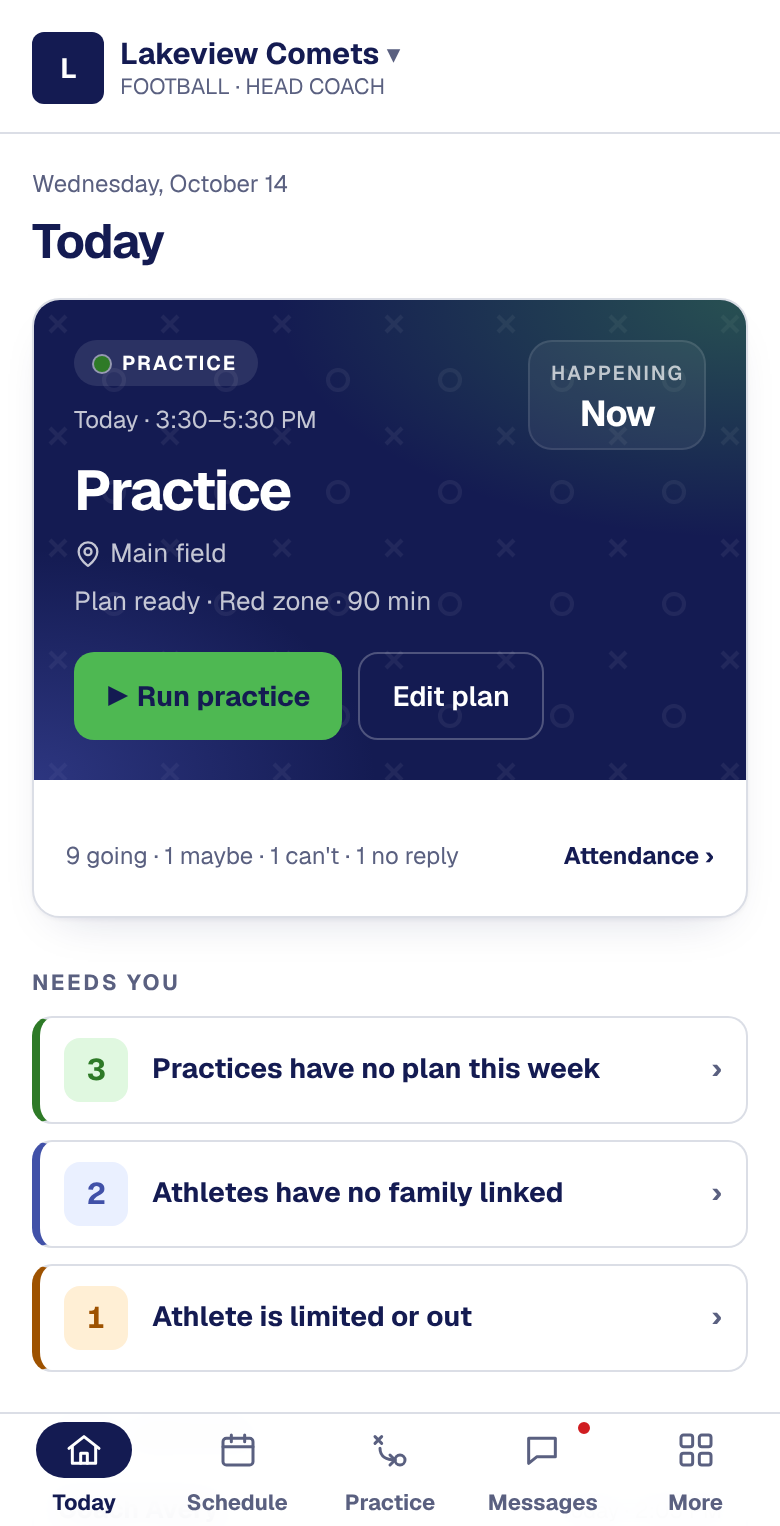
Open the app and know what's next
The next practice or game sits on top with a countdown, its plan and one tap to run it. Underneath is only what needs you: practices with no plan, athletes with no family linked, anyone limited or out.
- The next practice or game, with who is coming
- A short list of what needs you, in color
- The week at a glance, practices, games and events
Practice planning
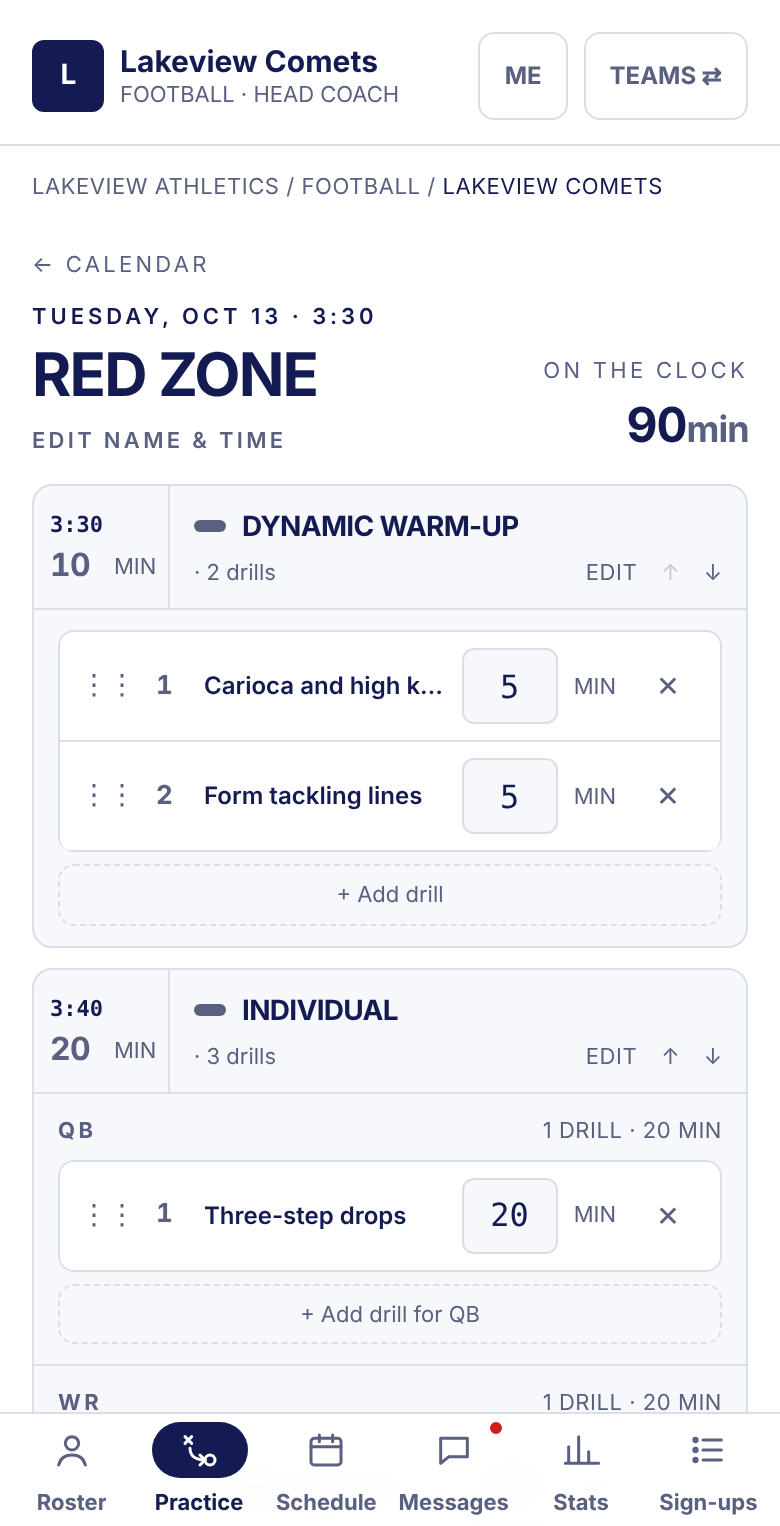
Practice plans built to the minute
Lay out timed periods with a running total, split into position groups, and pull drills from your own library or the built-in catalog, with coaching points and video links. Save a good practice as a template and reuse it all season.
- Timed periods and position groups
- Your own drill library, plus a built-in catalog of drills for every sport
- Saved templates for the whole season
Schedule
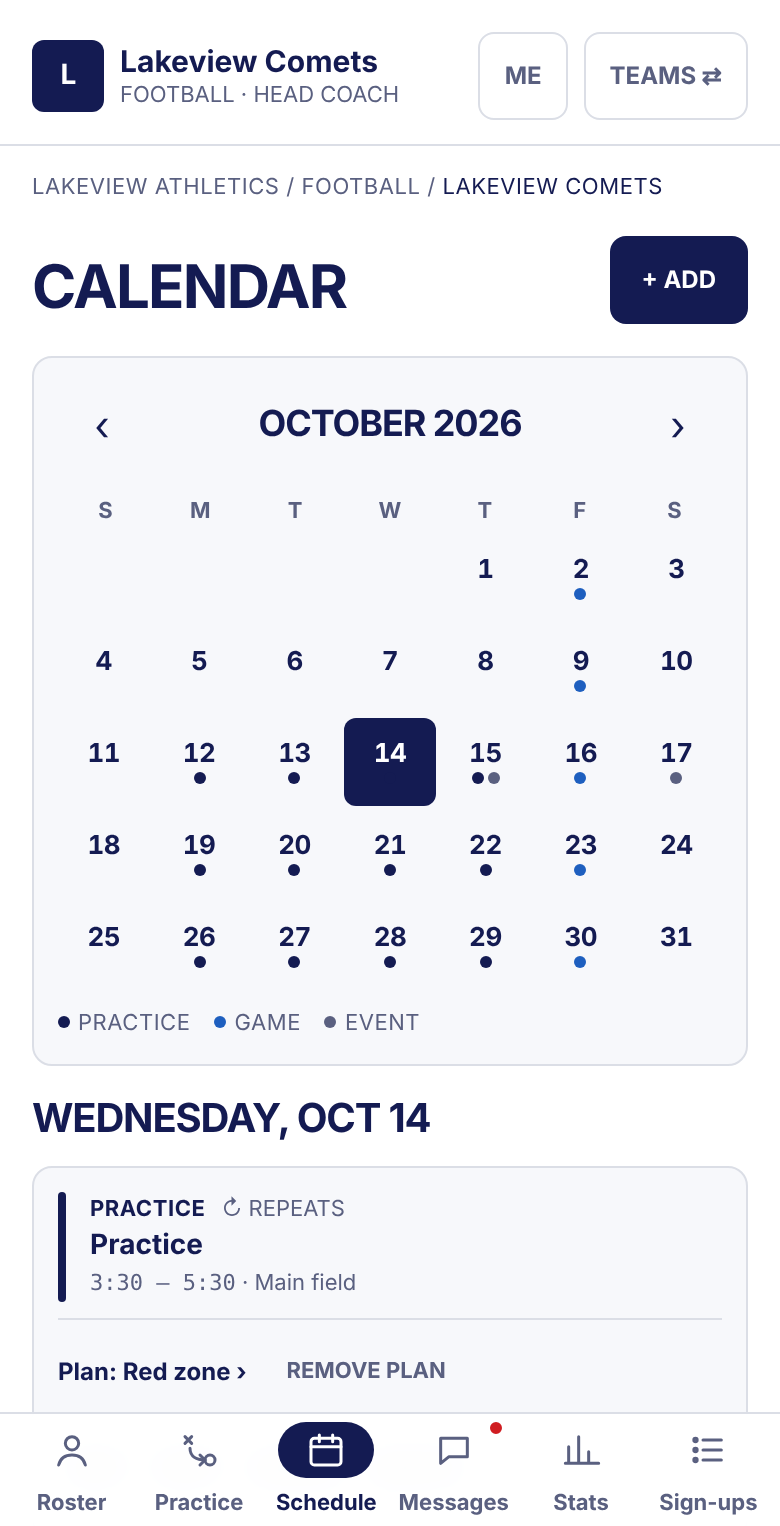
One calendar for every team
Practices, games and events live in one place that families can check from any phone. The day's practice plan is attached to the practice itself.
- Practices, games and team events
- Changes show up for everyone at once
- Subscribe from Google, Apple or Outlook calendar, with map links to every field
Roster
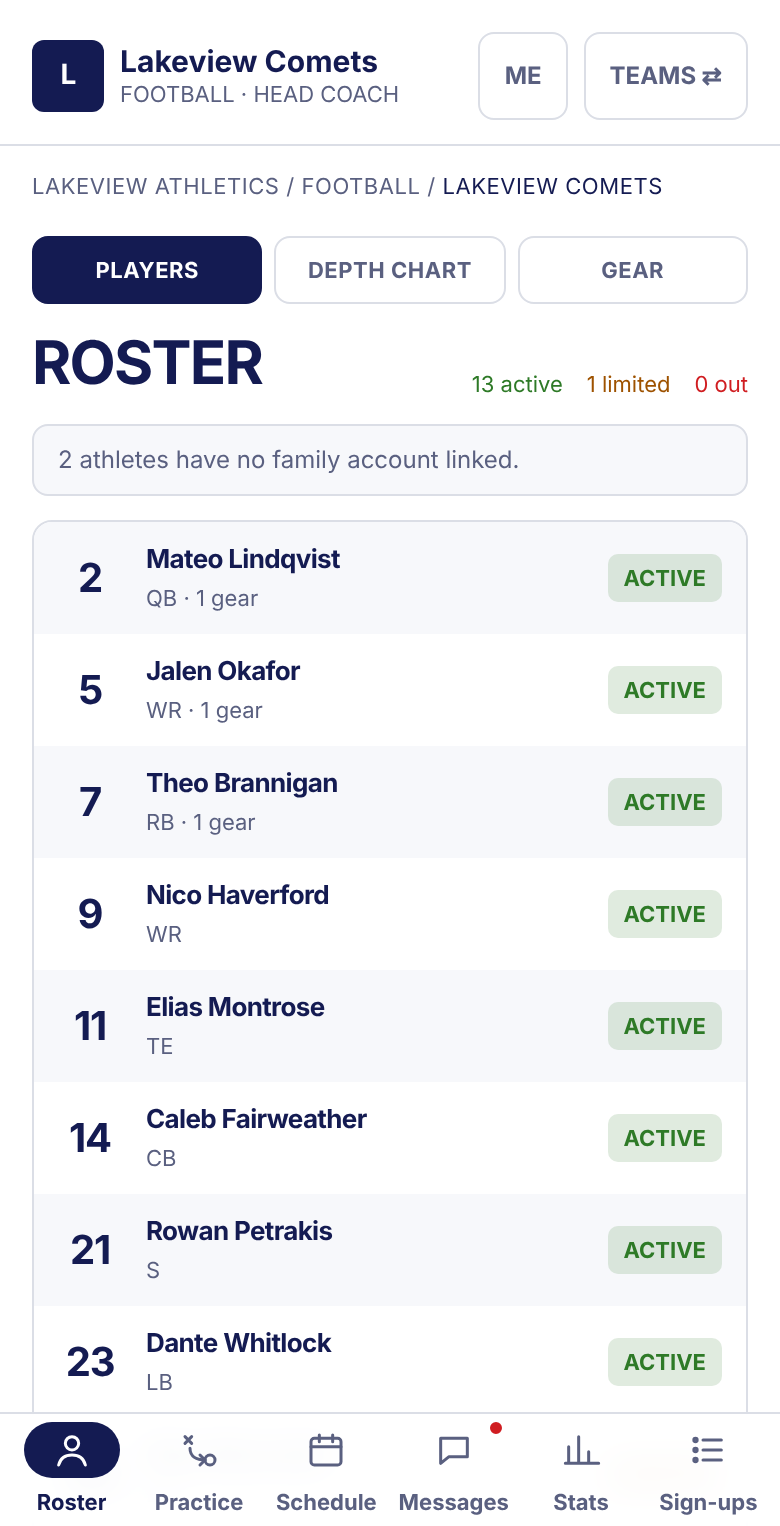
A roster that knows who is ready
Numbers, positions, grade and status for every athlete, with depth charts, lines, batting orders and varsity and JV lineups. Import a roster from a spreadsheet in one step.
- Depth charts, lines and lineups
- Athletes linked to their family accounts
- Equipment issued to each athlete, and what is on the shelf
Game day hub
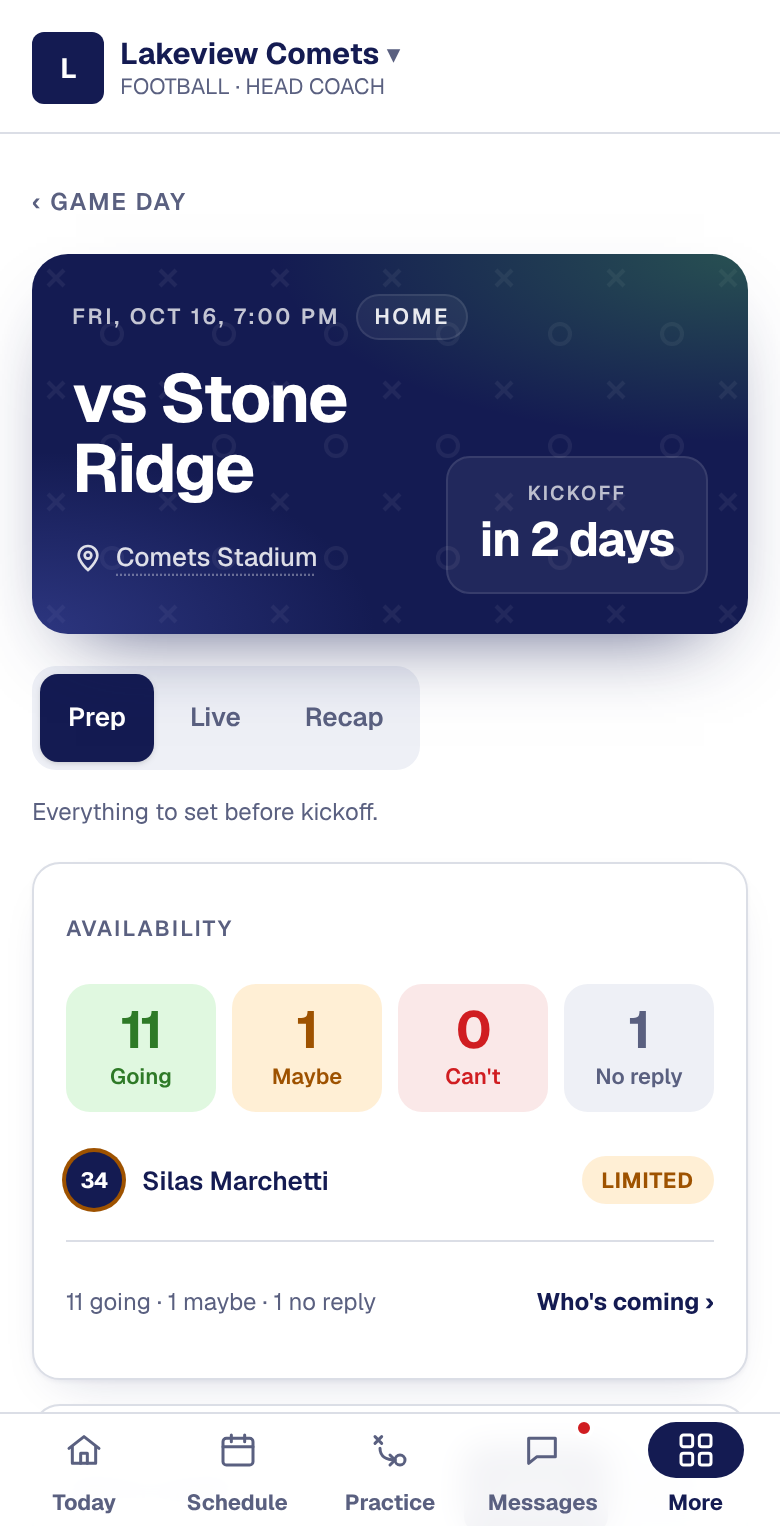
Every game in three steps: Prep, Live, Recap
Each game gets one page. Before the game, see who is coming and who is limited, and set the game plan and lineup. During the game, open the live console. After it, the recap is waiting.
- Availability and injuries before the game starts
- Game plan, keys to the game and lineup in one place
- A recap that posts to the team board
Live console
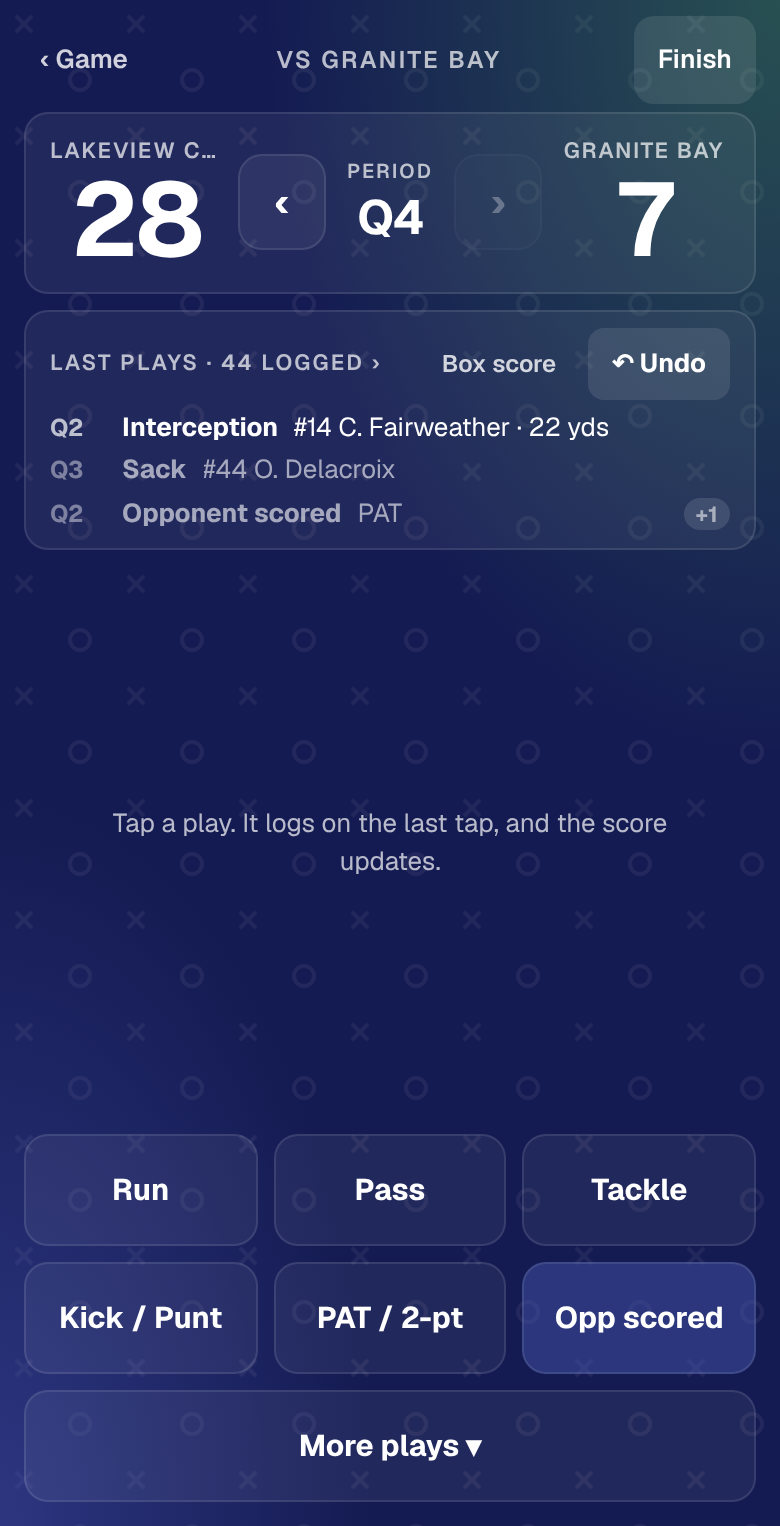
Log the game from the bench
Big buttons for every play, built for a volunteer parent or an assistant coach. The score updates as you tap, plays save with no signal, and the season record and stat leaders build themselves.
- Built for volunteers, not statisticians
- Undo and a box score one tap away
- Record, scoring by game and leaders, from the plays you log
Messages
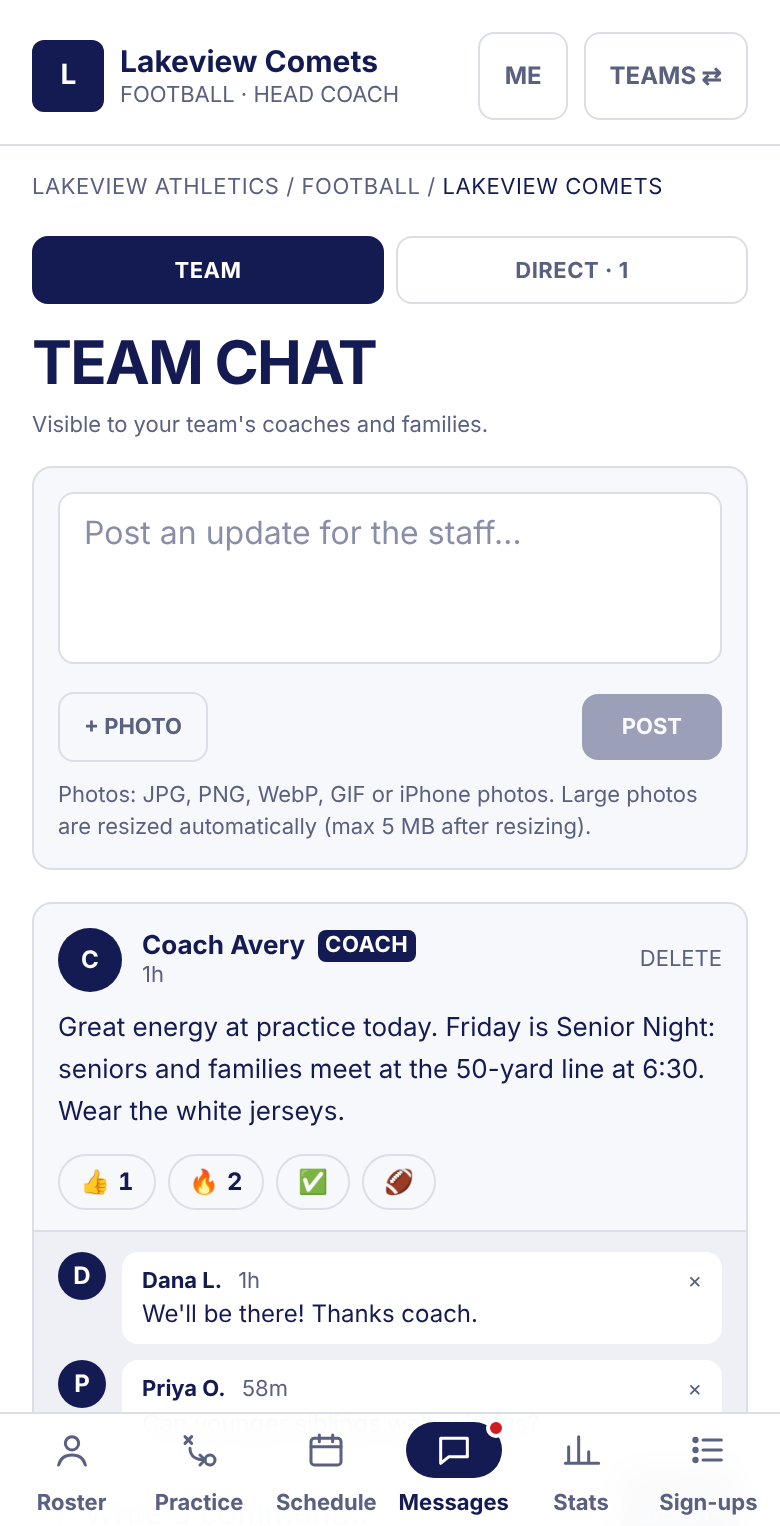
Team chat families actually read
Announcements, photos and post-game recaps in one feed, with reactions and replies, plus direct messages when a conversation needs to be private.
- Team message board with recaps
- Direct messages between coaches and families
- Read-only practice plan links for staff
And everything around it
Run practice
The day's plan on your phone at the field, period by period, with the clock running.
Game plans
Keys to the game, notes and a lineup snapshot for each game, ready for the whole staff.
Sign-up sheets
Share a link and families claim volunteer spots for games and events.
RSVPs and attendance
Families answer for each athlete, and coaches take attendance at the field with the answers already filled in.
Athlete groups
Split the roster into groups for practice periods or group-only events, private to coaches unless you share them.
Strength programs
Write lifting and conditioning plans by block, week and day, assign them to the team, a group or one athlete, and share them by link.
Works with no signal
Attendance, RSVPs, game stats, posts and messages save on the phone and send when the connection comes back.
Invitations
Invite assistant coaches and families by link, so nobody has to type in a roster of emails.
Privacy controls
Role-based access, guardian-owned accounts, and data export and account deletion from the app.
Built for 17 sports, and any other
Organization plan
For athletic departments and clubs
Directors see every team, schedule, roster and staff in one place, set up a season's teams in one pass, send announcements with read receipts and see stats across the program. Every team gets every Coach tool.
See ProgramSlate for schools & clubsTry every coaching tool free for 14 days
Then $59.99 a year (about $5 a month), or $14.99 month to month, for every team you head-coach. Cancel anytime. Assistants and families never pay.
Start your 14-day free trial